
Minimal Git viewer
built for staying in control

AI writes the code. You keep control.

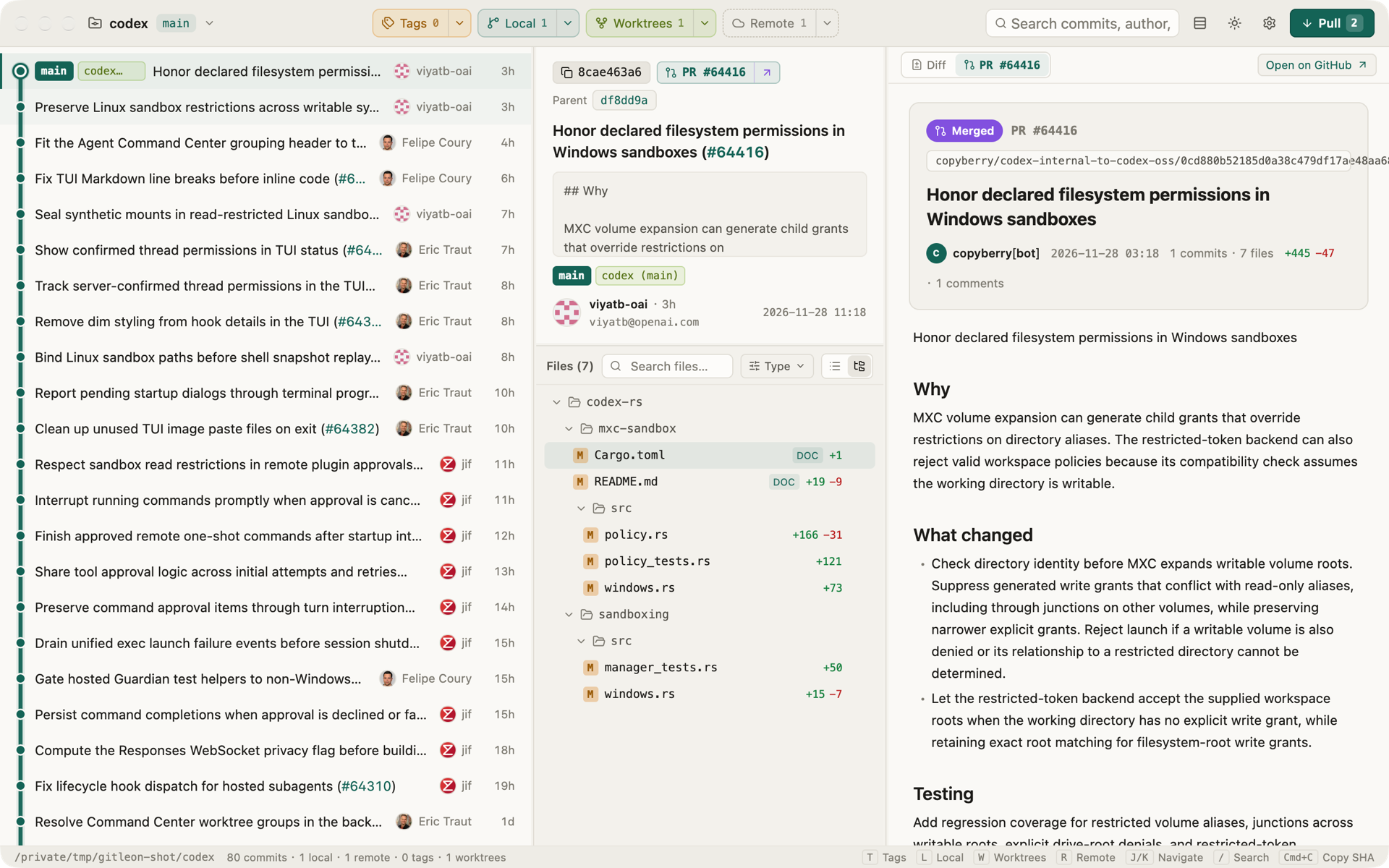
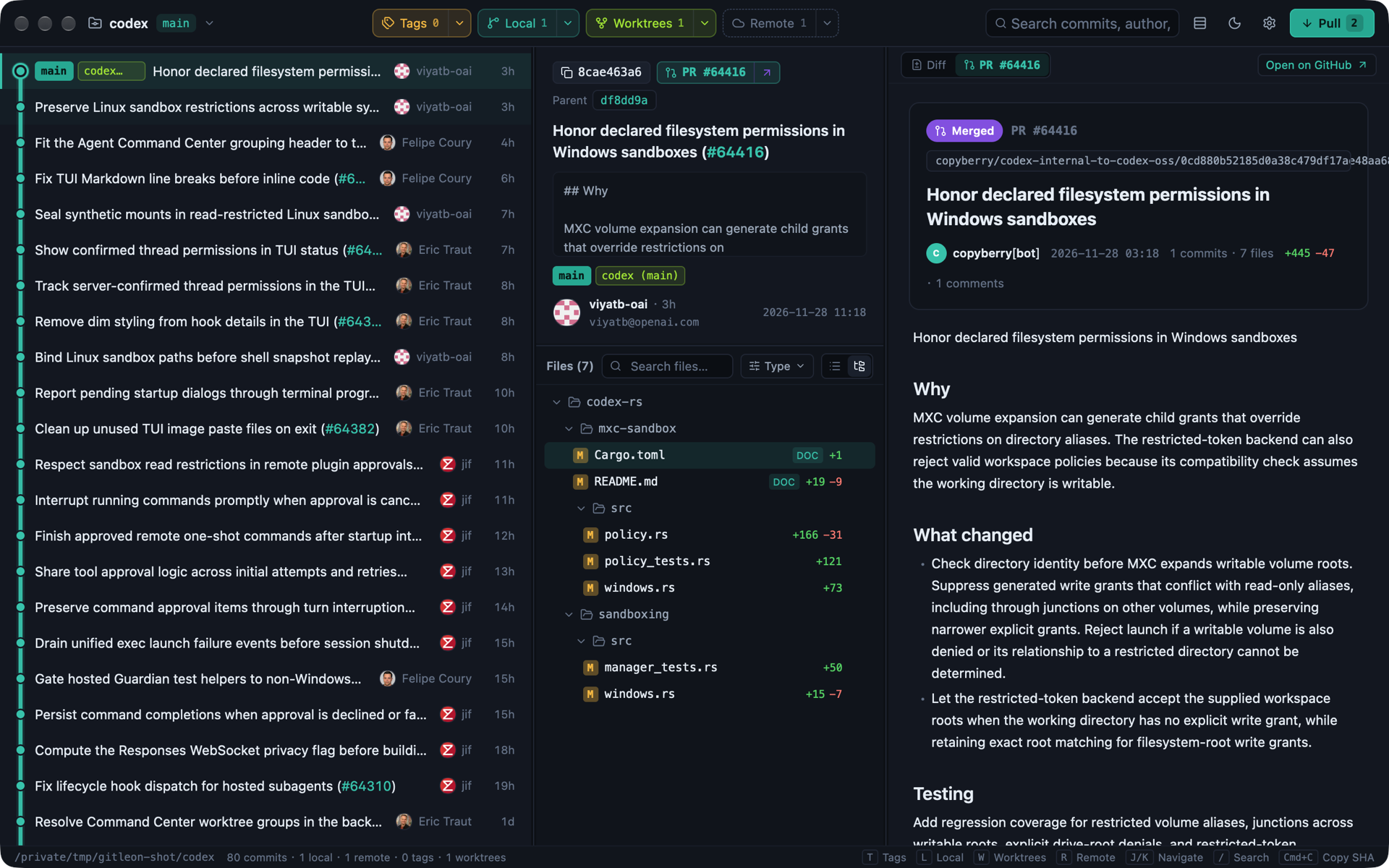
GitLeon PR description and commit graph
~8 MB native Rust + GPUI · 0 dangerous write buttons · Works natively with:
GitHub Gitee GitLab Gerrit Phabricator macOS Windows 11

Inspect everything you review

GitLeon PR description view
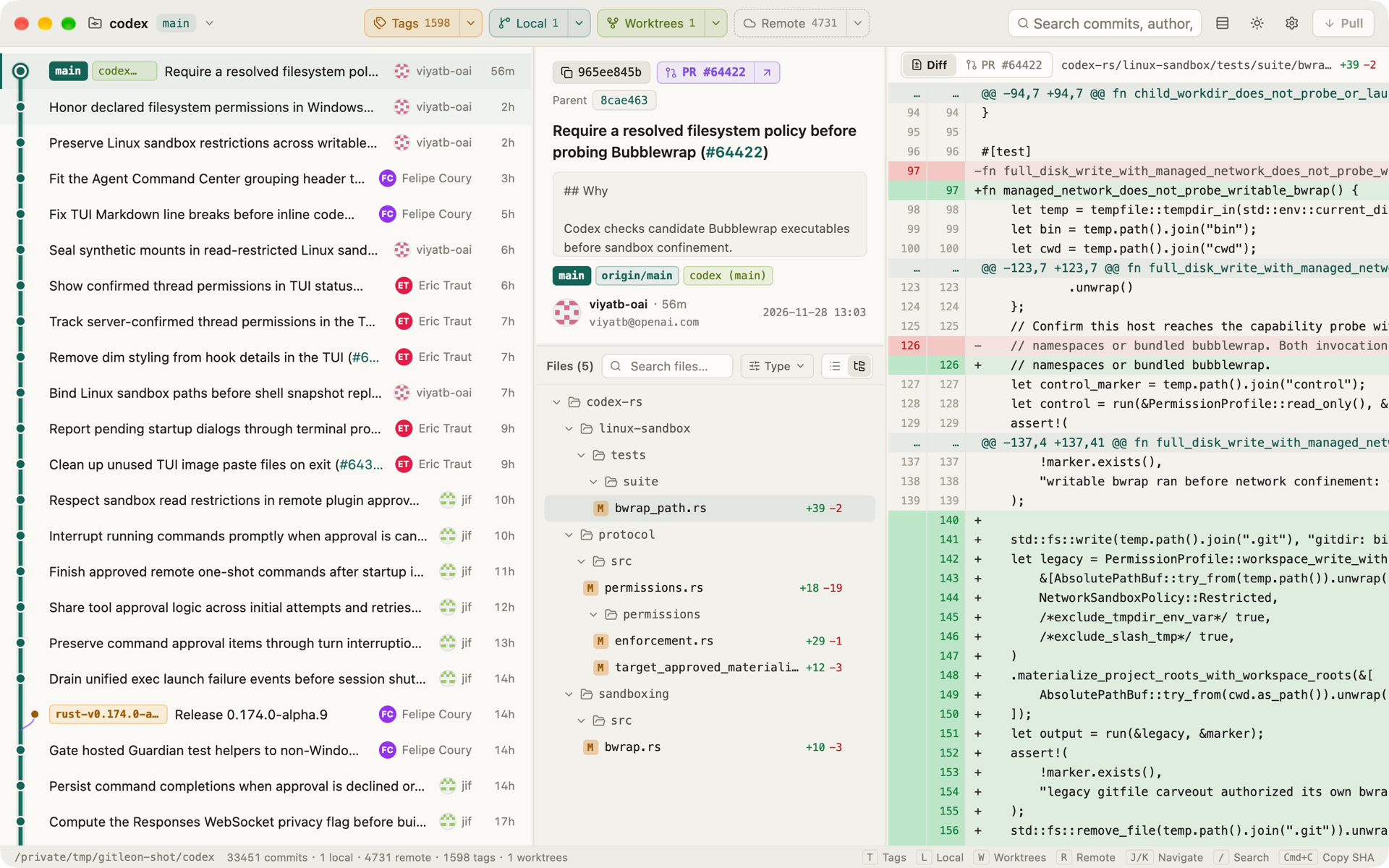
PR context & code diff, side by side
PR
Rendered PR Description GitHub · Gitee · GitLab · Gerrit
±
Syntax Code Diff File tree, suffix filter & Markdown
⎇
3-Tier Mainline Graph Tens of thousands of commits smoothly
文
8 Developer Languages EN · 简/繁 · 日 · 韓 · DE · FR · ES

100% local, zero-clutter Git viewer

Inspect faster and calmer, running natively on your machine with zero cloud lock-in.

~8 MB Native

Compiled Rust + GPUI renders tens of thousands of commits in milliseconds.

Mainline Graph

Uniform 3-tier trunk lines make branch history unmistakable at a glance.

Zero Write Risk

No reset, rebase, or force-push buttons—only explicit Pull & Clone.

GitLeon annotated UI overview

PR & Markdown

Jump straight from a commit to its GitHub, Gitee, GitLab, or Gerrit PR.

Instant Diff & Filter

Filter changed files by extension, search commits, and scan diffs at 120fps.

Stay in control in seconds

Download for macOS
AI ERA

Built for the AI Coding Era

AI agents write most of the code now. GitLeon is the crisp, low-footprint lens for developers who still insist on understanding every change.

AI Coding Agents · Claude Code / Codex / Cursor
Handles Writes
↓
GitLeon · Clean Read-Only Inspection
You Keep Control
git reset --hard git rebase -i git push -f ✓ Pull & Clone only

AI writes, you inspect

Classic Git GUIs were designed around manual staging, rebasing, and stashing. Dropping write controls removes clutter and eliminates accidental misclicks.
Installer Size
GitLeon (Rust + GPUI)~8–10 MB
Sourcetree~140 MB
GitKraken (Electron)~220+ MB
Typical RAM Footprint
GitLeon~45 MB RAM
Electron Git GUIs400–900 MB RAM

15× lighter than heavy Git clients

No 300 MB Electron shell competing with your IDE and local AI agents for memory. Launches immediately and stays whisper-quiet in the background.

GitHub
Gitee
GitLab
Gerrit
Phabricator
Markdown

Works with every forge & language

Auto-detects your Git host locally without browser switching. Click a language pill above to see the real screenshots on this page switch live.

Anonymous usage probe
Sends random ID + version, OS/arch & language
{
  "iid": "9f2c8a1b-4e3d-4b2a-9a10-7c8d9e0f1a2b",
  "app": "gitleon",
  "version": "0.1.3",
  "os": "macos",
  "arch": "arm64",
  "locale": "en",
  "channel": "stable"
}
Never collected: repo names · paths · remotes · code · emails · raw IPs

Private by design

Zero login wall. Update checks and anonymous probes are separate switches, and diagnostic emails auto-redact local paths and tokens.

GitLeon vs. Heavy Git Clients

We consciously gave up write workflows so reading, tracing, and reviewing code stays fast and calm.

Dimension GitLeon GitKraken / Sourcetree
Design Focus AI-era code oversight: fast diff inspection, mainline tracing, PR reading Pre-AI manual Git: staging, rebasing, stashing, conflict resolution UI
Runtime & Size Native Rust + GPUI (~8–10 MB installer, ~45 MB RAM) Electron / heavy framework (150–350 MB installer, 400–900 MB RAM)
Write Safety Read-only by design (only explicit Pull & Clone) — zero misclick risk Dense write controls everywhere; accidental resets or checkouts
Multi-Forge PRs GitHub, Gitee, GitLab, Gerrit, Phabricator + Markdown built in Often locked to a single host or gated behind paid Pro subscriptions
Privacy & Sign-In No login. Independent update & probe toggles + live JSON preview Mandatory account walls and opaque background telemetry

Get GitLeon

Lightweight native installer. No sign-in, no subscription, zero Electron bloat.

macOS (Apple Silicon)

Apple Silicon (M1–M4) · macOS 13+

GitLeon-0.1.3-macos-arm64.dmg · ~10 MB · SHA-256
Download .dmg

Windows 11 / 10 (x64)

Windows 10 / 11 (x64) · NSIS installer

GitLeon-0.1.3-windows-x64-setup.exe · ~7.5 MB · SHA-256
Download .exe
macOS first-launch tip: Until Apple notarization is added, right-click GitLeon in Applications and choose Open, or run xattr -cr /Applications/GitLeon.app.

Questions or tool ideas?

GitLeon is the first of a growing collection of calm, fast native tools. No account needed—send us feedback or tell us what you wish existed next.

✉ Email Feedback